
Query CADD Scores
CADD (Combined Annotation Dependent Depletion) provides genome-wide predictions of variant deleteriousness. Use CADD scores to prioritize potentially harmful variants in your analysis.
CADD integrates multiple genomic annotations to predict the deleteriousness of genetic variants. Higher scores indicate variants more likely to have deleterious effects.
Learn more in the original CADD publication.
CADD Query Syntax
Type the field name
Start with cadd to specify the CADD score field you want to search.
Add a mathematical operator
Use operators like =><>=<=:
cadd: (with colon) is equivalent to cadd =
This applies to any numerical field like pos, phyloP, and phastCons.
Specify the score threshold
Add the numerical value you want to filter by. CADD scores typically range from 0 to 40+, with higher scores indicating more deleterious variants.
Common CADD Score Thresholds
cadd ≥ 10cadd ≥ 20cadd ≥ 30CADD Query Examples
Example 1: High-Impact Variants
Search for variants with CADD scores greater than 20 using cadd > 20:
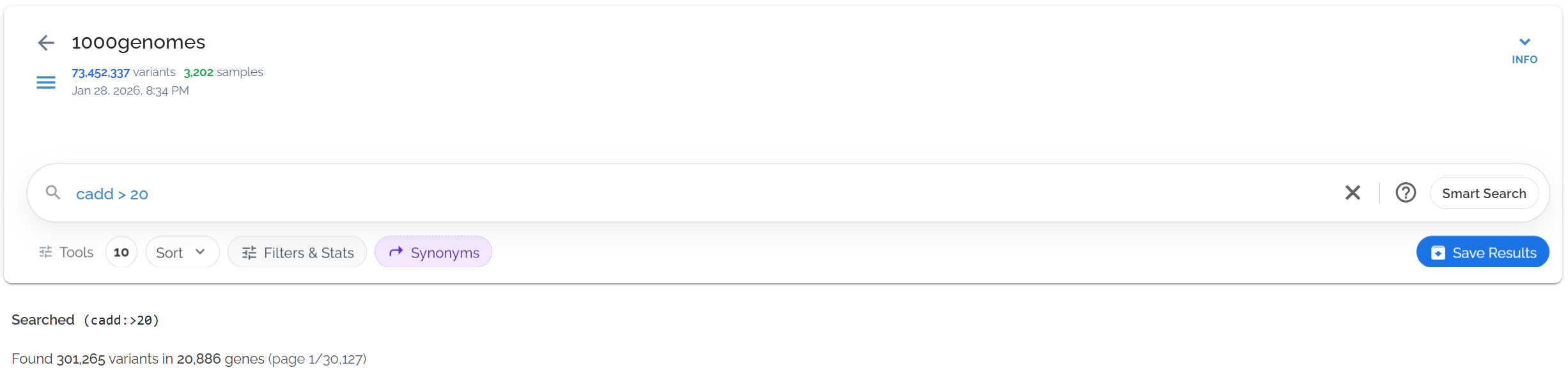
Finding high-impact variants with CADD scores above 20 (top 1% most deleterious)
Example 2: Inclusive Threshold
Include variants with exactly 20 using cadd >= 20:
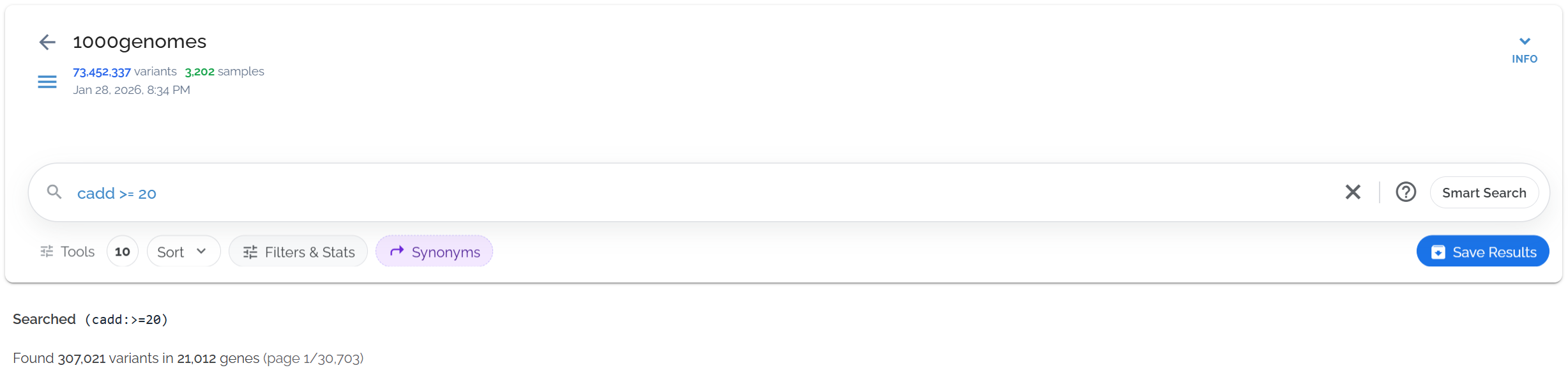
Using >= operator to include variants with CADD scores of exactly 20
Example 3: Score Range Query
Search for variants within a specific CADD range using cadd:[15 TO 20]:
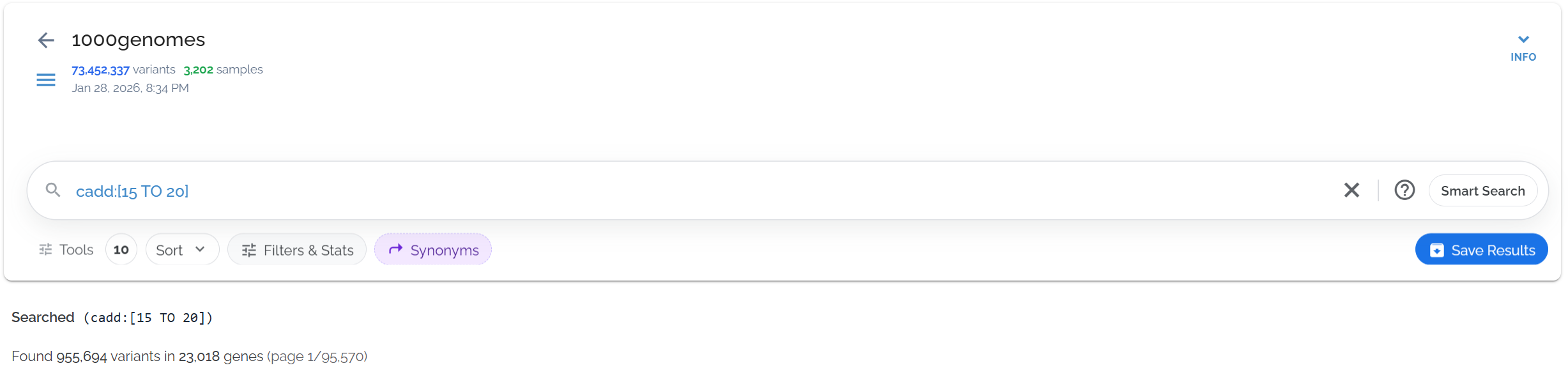
Finding variants with moderate CADD scores between 15 and 20
CADD Scores and Indels
CADD scores are originally defined for SNPs only. For indels, Bystro provides CADD scores for all affected reference positions, giving comprehensive deleteriousness predictions.
Single Base Indels
Bystro provides all 3 possible CADD scores for the affected position, assuming the indel could be as significant as the most deleterious SNP at that site.
Longer Indels
Deletions: First 32 covered bases annotated, separated by "|".
Insertions: Both flanking reference positions annotated.
When querying cadd > 20, an indel with CADD scores of 0, 10, and 25 will match because one of its scores (25) exceeds the threshold.
This behavior applies to any field containing multiple values separated by "|".
Practical Applications
Clinical Variant Prioritization
Research Applications
Combine with other filters: Use CADD scores alongside allele frequency and functional annotations.
Consider context: High CADD scores in non-coding regions may indicate regulatory disruption.
Validate findings: CADD is predictive — validate high-scoring variants experimentally when possible.
Population differences: Consider population-specific deleteriousness patterns in diverse cohorts.