
Generate Projects
Projects let you organize multiple datasets, sessions, and results into a single workspace. Use them to track ongoing research, collaborate with teammates, or structure a complete analysis pipeline from raw data to final report.
Creating a Project
- Open the Projects panel: Click Projects from the THiNK sidebar next to Chats
- Name your project: Give it a descriptive name, e.g. GWAS - Cohort B / Q1 2025
- Add data: Upload new files or link existing datasets from your data library
- Start a conversation: Open a chat session inside the project and all questions and results will automatically be saved to the project timeline
A project can hold multiple datasets at once, such as a case cohort, a control cohort, and a reference population. You can ask questions that span all of them in the same conversation.
Projects Portal
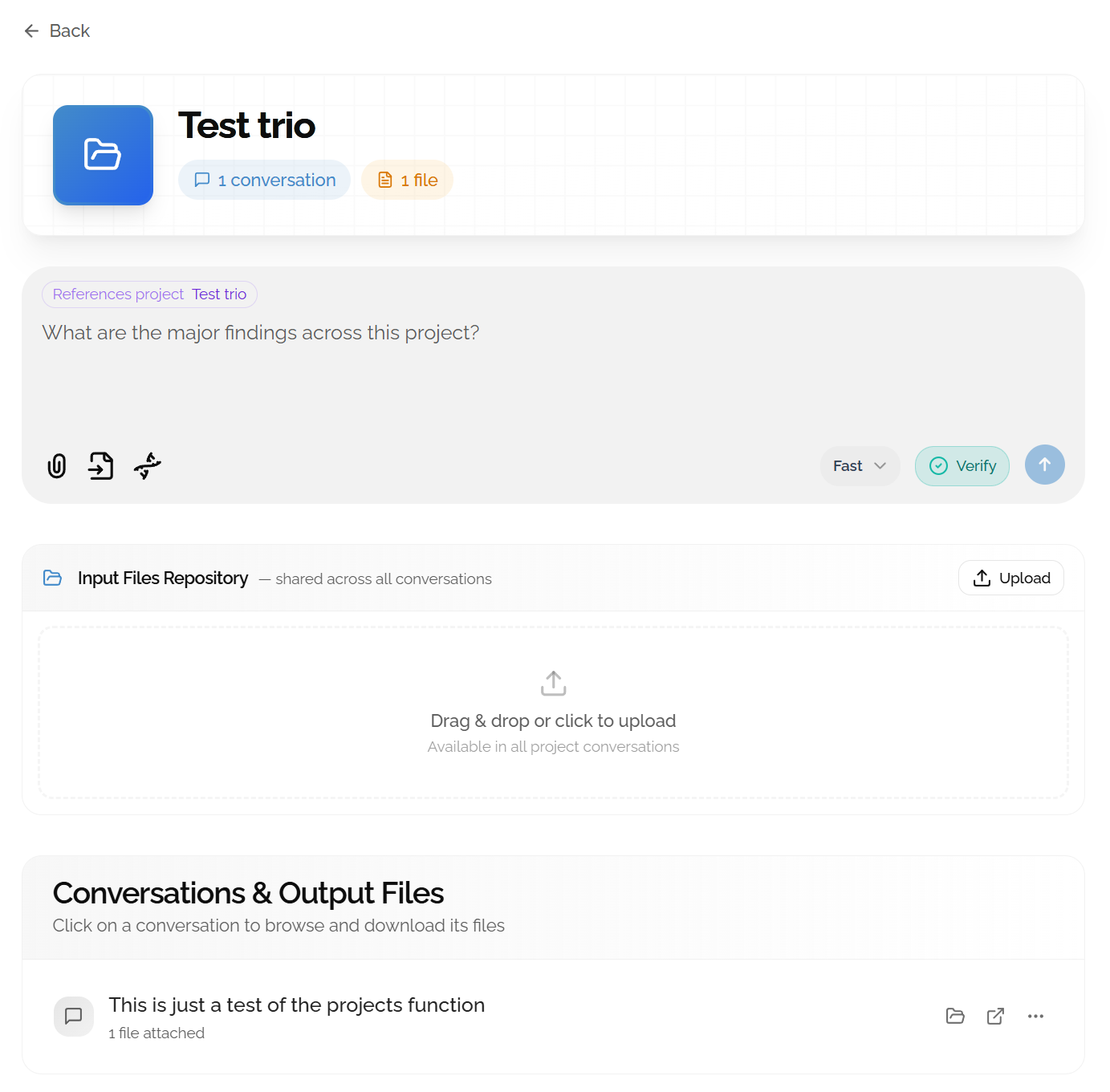
Summarizing a Project
Once you've completed several analyses, THiNK can generate a structured research report from your entire project, compiling conversations, results, and notes into a single cohesive document.
- Open project settings: Navigate to your project and ask something like: What are the major findings across this project?
- Download: The report will be generated and downloadable
Research Summary: High-level findings, key visualizations, and interpretation. Best for sharing with non-technical collaborators.
Methods & Results: Structured like a paper section, with methodology, statistics, and cited results.
Full Transcript: Complete record of all questions, answers, and generated outputs. Best for archiving.
Looking for research workflow examples?
The Vignettes section includes real-world examples of complete projects, ranging from a rare variant trio analysis to a population stratification study, showing how to structure conversations and interpret results end-to-end.