
Smart Search with Natural Language
Bystro's smart search features make genomic analysis accessible to everyone. Ask questions in plain English and let AI generate the technical queries for you, or use the intelligent search bar with auto-suggestions to quickly find variants of interest.
AI Query Generator
Instead of learning complex query syntax, simply describe what you're looking for in natural language. The AI understands genomic concepts, family relationships, and research terminology to automatically generate precise technical queries.
Example Natural Language Queries
Natural Language Input:
"Are there any denovo pathogenic mutations in this trio where 4805 is the child and 1847 and 1805 are the parents?"
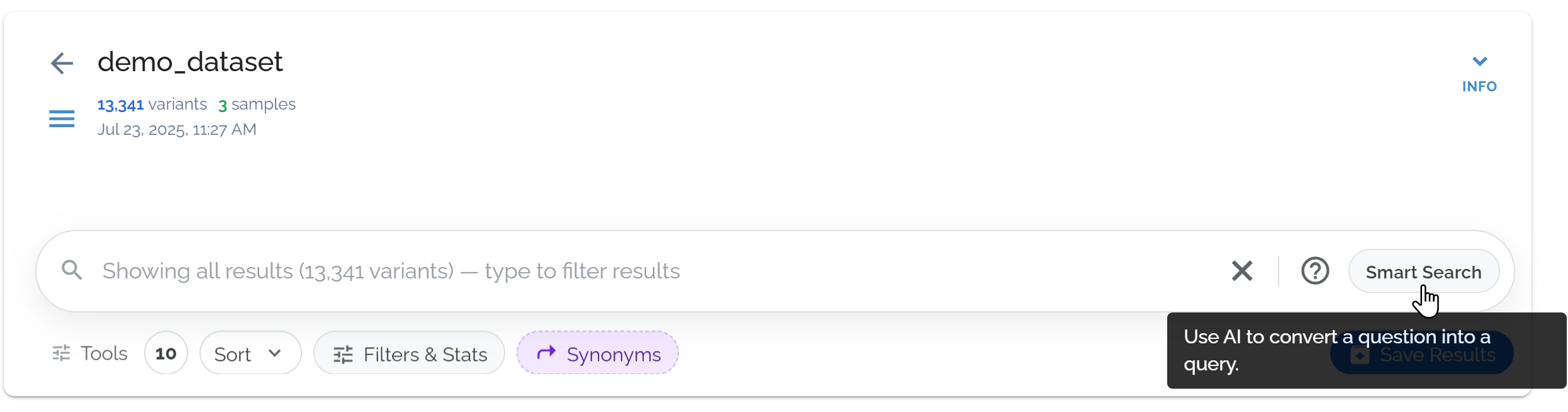
Select smart search to start asking a question to generate a query
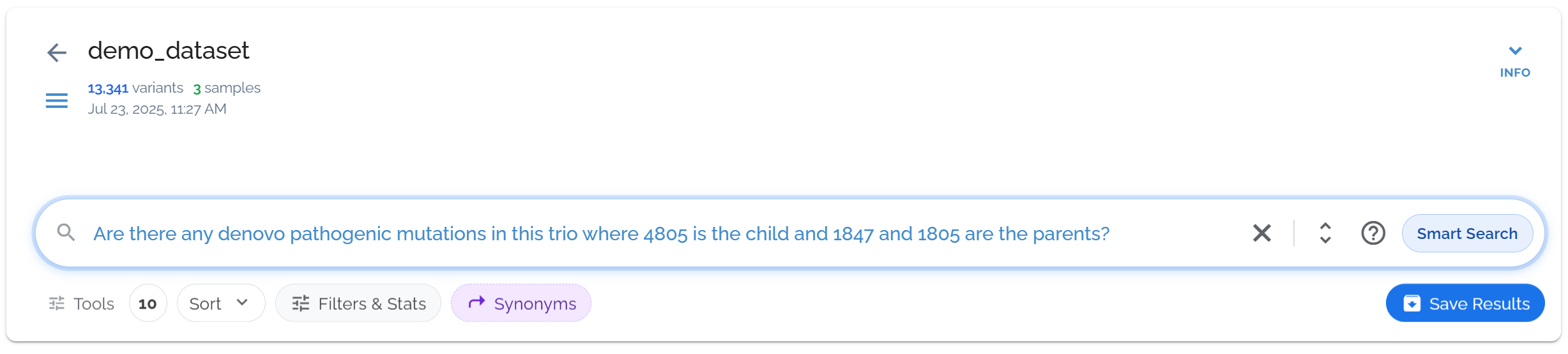
Smart search auto-generates a query that answers complex questions
Generated Query:
(heterozygotes:4805 OR homozygotes:4805) (-heterozygotes:(1847 OR 1805)) (-homozygotes:(1847 OR 1805)) (-missingGenos:(1847 OR 1805)) (clinvarVcf.CLNSIG:(pathogenic OR likely_pathogenic))Natural Language Input:
"Show me pathogenic variants in BRCA1 with high CADD scores"
Generated Query:
(refSeq.name2:BRCA1) AND (clinvarVcf.CLNSIG:("pathogenic" OR "likely_pathogenic")) AND (cadd:>20)Supported Query Types
- ✓Family trio analysis (de novo, inheritance patterns)
- ✓Gene-specific searches with clinical significance
- ✓Pathogenicity and frequency filtering
- ✓Compound heterozygous variant identification
- ✓Genomic region and coordinate queries
Benefits
- ▶No need to learn complex query syntax
- ▶Faster hypothesis testing and exploration
- ▶Reduces errors in complex family queries
- ▶Learn proper syntax by seeing generated queries
- ▶Accessible to researchers at all technical levels
Start by describing your research question in simple terms. The AI understands context like:
- • Family relationships (parent, child, sibling)
- • Inheritance patterns (de novo, recessive, dominant)
- • Clinical significance (pathogenic, benign, VUS)
- • Gene names and genomic regions
- • Variant types (SNP, indel, CNV)
- • Population frequencies and scores
Intelligent Search Bar
For quick searches, use the main search bar with intelligent auto-suggestions. Start typing any term - gene names, variant types, or clinical terms - and get instant suggestions to refine your search.
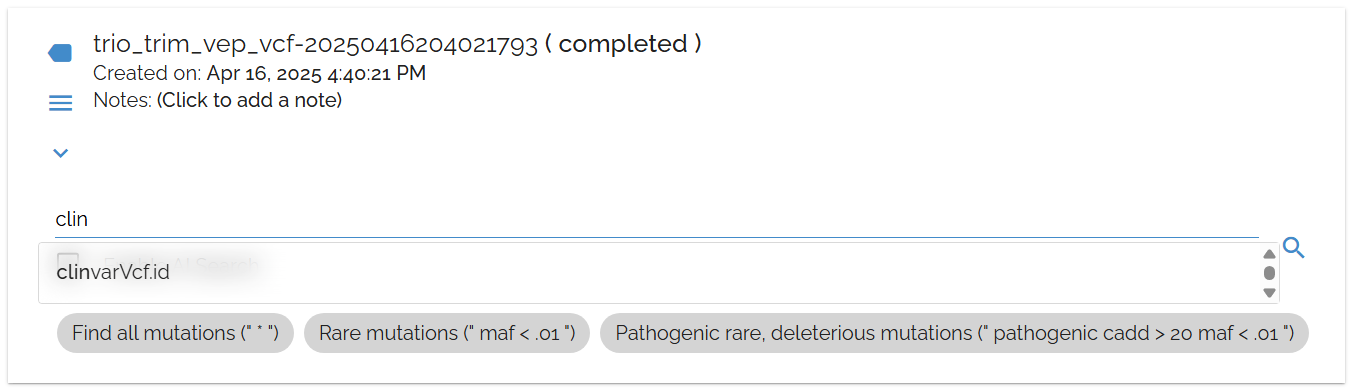
The search bar provides intelligent suggestions as you type, making it easy to discover relevant terms
Quick Search Tips
Starting Points:
- • Use
*to see all variants in your dataset - • Start with gene names (e.g.,
BRCA1) - • Try variant types (e.g.,
SNP,deletion) - • Search clinical terms (e.g.,
pathogenic)
Pro Tips:
- • More suggestions appear on the Results page
- • Use suggestions to discover new annotation fields
- • Combine multiple terms for precise filtering
- • Save frequently used searches for quick access
Both AI-generated queries and manual searches provide automatic result summaries including:
- • Transition/transversion ratios for quality assessment
- • Result counts and performance metrics
- • CADD score distributions
- • Suggestions for refining your search
When to Use Each Approach
AI Query Generator
Best for:
- • Complex family analysis questions
- • Research hypotheses with multiple conditions
- • Learning proper query syntax
- • Exploring new analysis approaches
Intelligent Search Bar
Best for:
- • Quick gene or variant lookups
- • Exploring available annotation fields
- • Simple filtering by single criteria
- • Getting started with a new dataset